
G Cloud Backup
Genie9 LTDProductivity
4.473.34K Reviews
- Version
- 12.2.3
- Installs
- 5.00M
- Age Rating
- Everyone
Screenshots
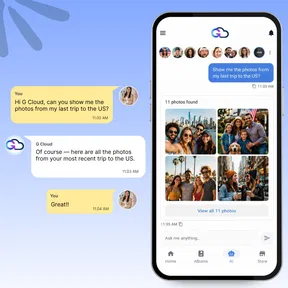

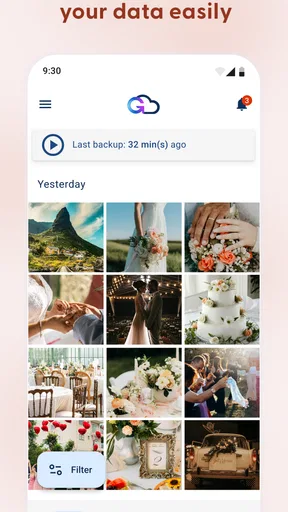
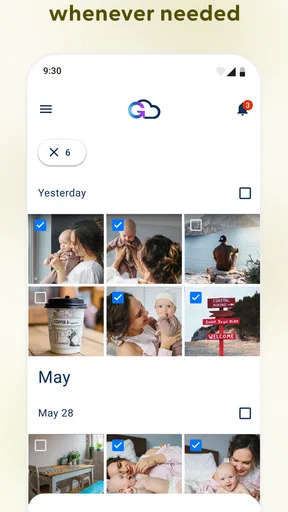
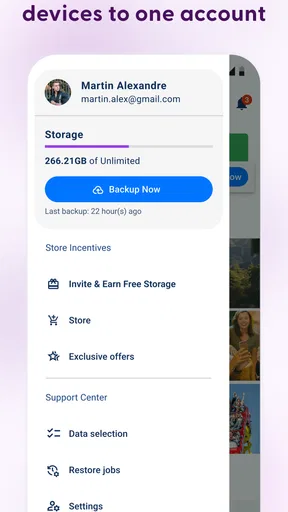
Our Review of G Cloud Backup
 Analysis by Appyee
Ever had that sinking feeling when you realize your phone has been wiped clean, and all your precious data has vanished into thin air? Well, I’ve been there, and trust me, it’s not fun. That’s why I was thrilled to stumble upon G Cloud Backup, an app that promises to be your digital guardian angel by safeguarding your data. Let me walk you through my experience with this app and why it might just become your new best friend.
Why G Cloud Backup Stood Out
So, what makes G Cloud Backup a standout in the sea of backup apps? First off, it’s all about simplicity. The app doesn’t bombard you with complex settings or a million options. Instead, it focuses on what truly matters: keeping your data safe. You start by setting up an account, and from there, it’s smooth sailing.
Setting Up Your Cloud Fortress
Getting started with G Cloud Backup is as easy as pie. You download the app, set up your account, and immediately you’re greeted with a user-friendly interface. I was impressed by how intuitive it was—something that’s crucial for an app meant to be used by everyone, not just techies.
Once logged in, you can choose what you want to back up. The app covers everything from your contacts and photos to videos and documents. You name it, G Cloud Backup has it covered. I loved that I could select specific items to back up without having to do everything at once. It’s like having a personal assistant for your phone data.
Performance and Reliability
Now, let’s talk about performance. I was curious to see how G Cloud Backup would handle a large amount of data, so I went ahead and backed up my entire photo library—over 5000 images. The process was surprisingly swift, and not once did the app crash or slow down my phone. That’s a huge win in my book.
What’s even more reassuring is the reliability of this app. After the backup was complete, I decided to do a test restore. It worked like a charm, with all my data restored perfectly. It’s a relief knowing that if disaster strikes, G Cloud Backup has got my back.
Security: Keeping Your Data Safe
In today’s world, data security is paramount, and G Cloud Backup takes this seriously. The app encrypts your data before sending it to the cloud, ensuring that your information is safe from prying eyes. I appreciate that extra layer of security—it’s like having a digital lock on your data chest.
Subscription Plans and Value
While G Cloud Backup offers a free plan with 1GB of storage, you might want to consider their premium options if you have a lot of data. I found the pricing to be reasonable, especially considering the peace of mind it provides. There are several plans to choose from, catering to different needs and budgets.
Final Thoughts
All in all, G Cloud Backup is a fantastic app for anyone looking to protect their mobile data. It’s straightforward, reliable, and secure, making it a top choice in my book. Whether you’re a tech newbie or a seasoned pro, this app has something to offer.
If you’re constantly worried about losing your data, give G Cloud Backup a whirl. Trust me, it’s worth it. Besides, who doesn’t want to sleep better at night knowing their data is safe and sound?
Verdict
Strengths of G Cloud Backup
- Easy-to-use interface for all users.
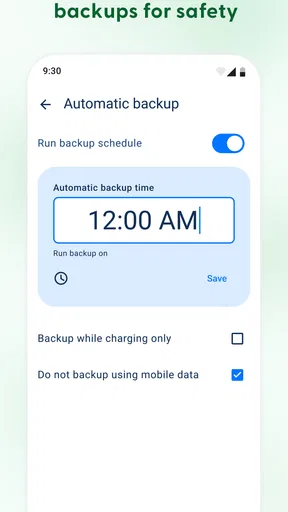
- Automatic backups save time and effort.
- Supports multiple device backups.
- Restores data quickly and efficiently.
- Secure encryption for data protection.
Limitations of G Cloud Backup
- Limited free storage available.
- Requires stable internet connection.
- Occasional app crashes reported.
- Some features need premium access.
- Backup speed varies with data size.
Similar Picks in This Category
View All
Google Calendar
Google LLC4.6

Google Drive
Google LLC4.3

Google Assistant
Google LLC3.9

Microsoft OneDrive
Microsoft Corporation4.6

Samsung Calendar
Samsung Electronics Co., Ltd.4.1

Microsoft OneNote: Save Notes
Microsoft Corporation4.6
Frequently Asked Questions
What is G Cloud Backup and how does it work?
G Cloud Backup is a cloud-based app that allows users to securely back up their data, including contacts, messages, photos, videos, and more, from their Android or iOS devices. The app operates by creating an encrypted copy of your data and storing it in the cloud, ensuring easy restoration in case of device loss or damage.
Is G Cloud Backup free to use?
G Cloud Backup offers a free tier that provides users with a limited amount of cloud storage. For those needing more space, there are affordable subscription plans available that offer additional storage and premium features. The free version is ideal for basic backups, while paid plans cater to larger data needs.
How secure is my data with G Cloud Backup?
Security is a priority for G Cloud Backup. The app uses advanced encryption methods to protect your data both during transfer and while stored in the cloud. Users can also set up additional security measures, such as two-factor authentication, ensuring that only authorized access is possible.
Can I use G Cloud Backup across multiple devices?
Yes, G Cloud Backup supports multiple devices. Users can link several devices to a single account, allowing for seamless data backup and restoration across different devices. This feature is particularly useful for users who want to keep data synchronized between phones and tablets.
What types of data can G Cloud Backup handle?
G Cloud Backup is versatile and can handle a wide variety of data types, including contacts, call logs, messages, photos, videos, music, documents, and even app data. This comprehensive coverage ensures that all important aspects of your device are backed up and easily recoverable.
